01 · Browser extension · 2026
Pomy
A browser side panel for the working day: choose the work, plan it, focus on it, then decide what goes on the timesheet.
- Role
- Product design, build and release
- Timeline
- 2026 to now
- Scope
- Problem framing to store release
- Platform
- Chrome + Edge side panel

Focused work in. Honest timesheets out.
That line is on Pomy's product site, and it is the whole brief. Work arrives from several places. Some of it has to end up on a timesheet. Pomy sits beside the browser and carries a day from one to the other, without watching the person doing it.
One side panel, three sources, one day
Pomy is a Chrome and Edge extension that lives in the browser's side panel, 320 to 480 pixels wide, next to whatever page the work is on.
Work comes from Microsoft To Do, from WorkflowMax jobs and tasks, and from Pomy's own list for anything tracked nowhere else. Pomy never replaces those tools. It mirrors what they hold and writes time back only when asked.
I owned it end to end: problem framing, requirements, flows, interaction design, data model, integrations, testing and release. I built it with Codex and Claude Code against written requirements and staged reviews. The product decisions, design review and release QA were mine.
- Platform
- Chrome + Edge side panel
- Sources
- Microsoft To Do, WorkflowMax, Pomy tasks
- Status
- Published: Chrome Web Store, Edge Add-ons
- Role
- Independent: design, build, release
The daily loop
Three destinations: Work, Today, Focus. One direction through them. Work chooses. Today plans and reconciles. Focus executes.
- 01Choose
Pull tasks from To Do, WorkflowMax or Pomy into Today.
- 02Plan
Set a focus target and the time each item gets today.
- 03Focus
One item, one timer, its context above the ring.
- 04Wrap up
Review focused time, decide the timesheet, send what's ready.
- 05End day
Close it. Carry forward only what you pick.
The loop, in the panel
- 01 / 04
Work: choose from where it already lives
WorkflowMax opens as client → job → tasks, To Do as the person's own lists, grouped their way. Adding a task puts it in Today and marks it there, so the source list stays the source.
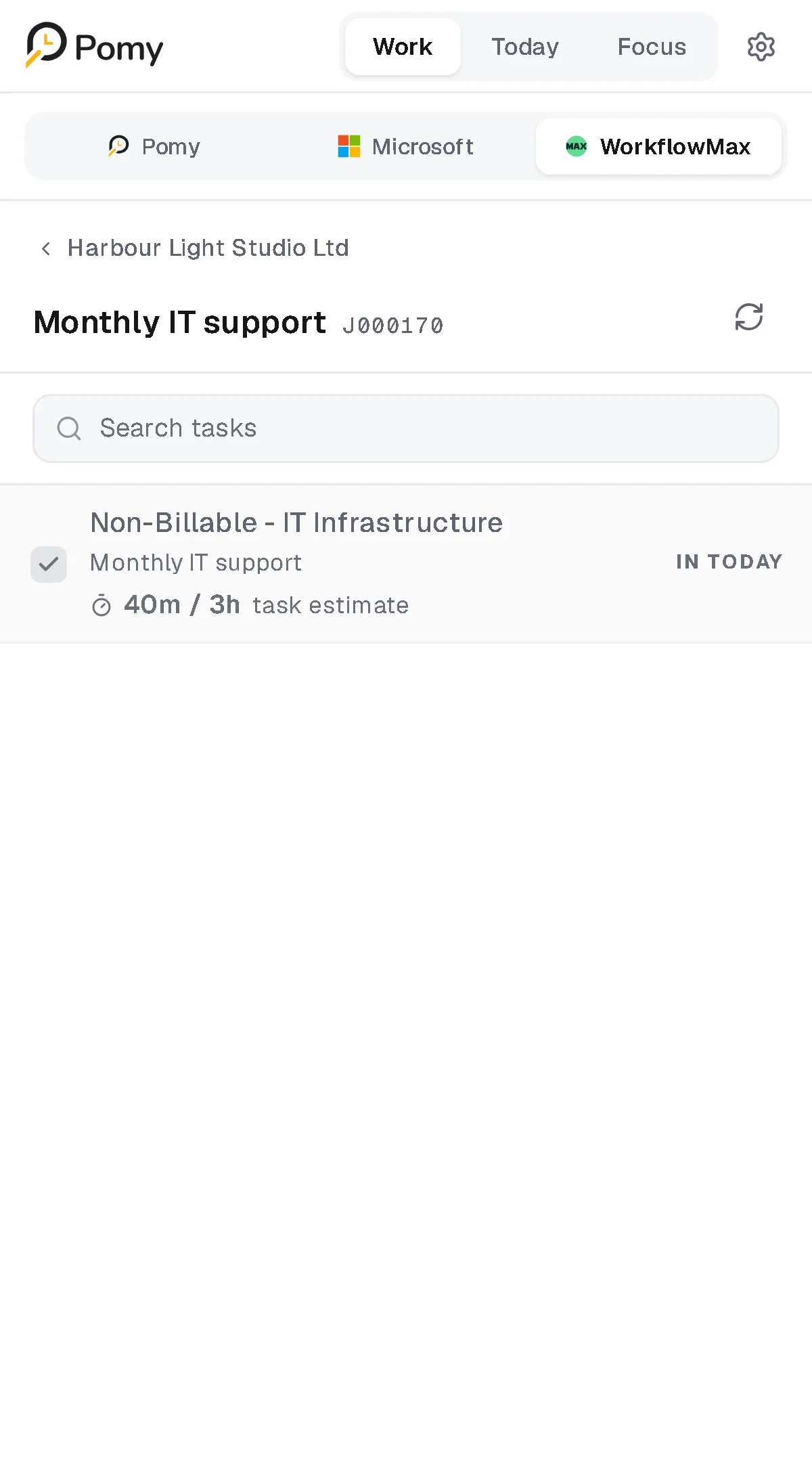
Work › WorkflowMax: a job's tasks. The one already in Today is marked. - 02 / 04
Today: a plan, not a quota
A focus target for the day and a time for each item. The summary says what's left ("1h available") and which items have no time yet. Going over the target is shown, never blocked.
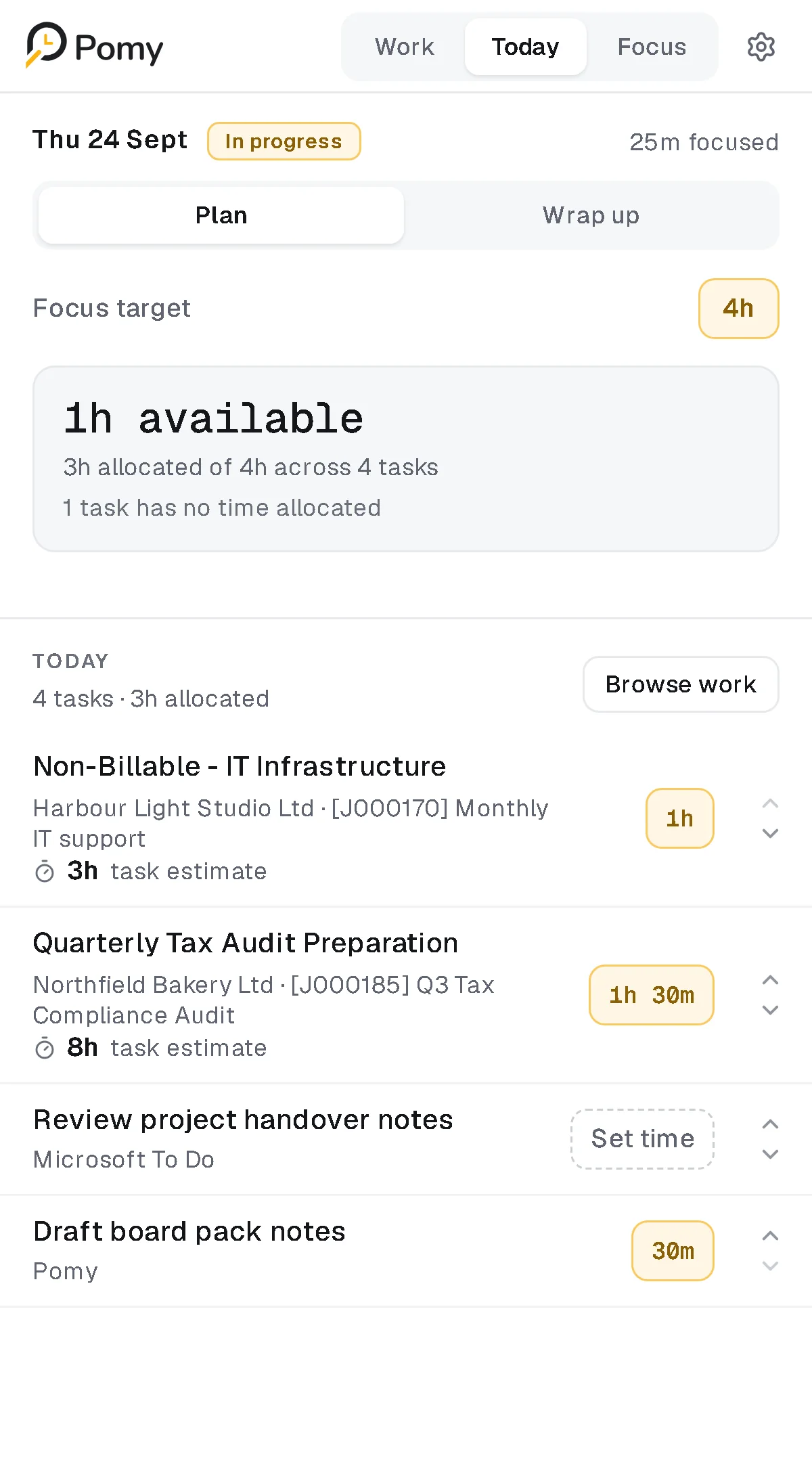
Today › Plan: target, allocation and what's still unplanned. - 03 / 04
Focus: one thing, with its context
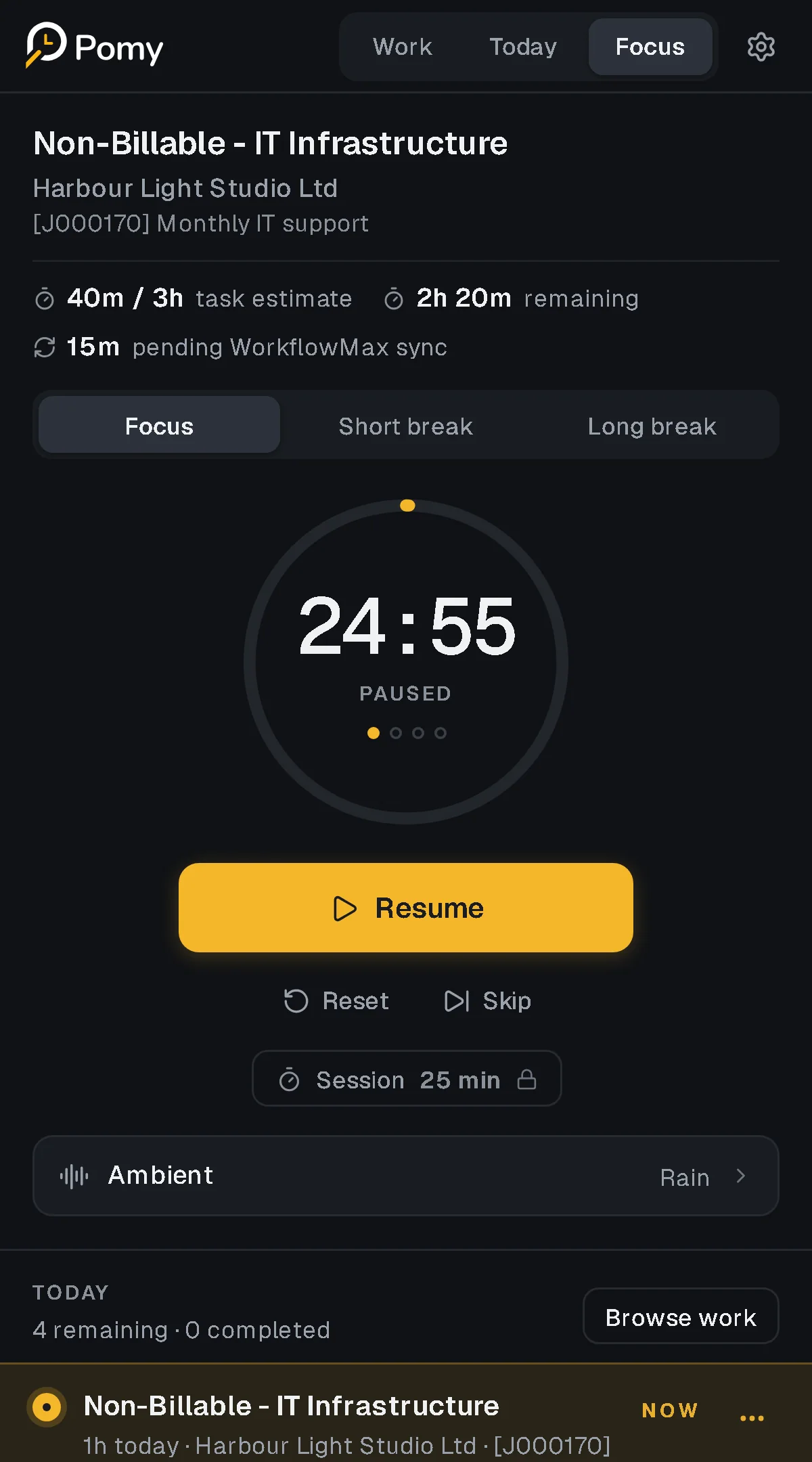
The active item sits above the timer with its client, job, how much of its estimate is used and how much time is still pending sync. Focus, short break and long break are one control. The session length locks while it runs.
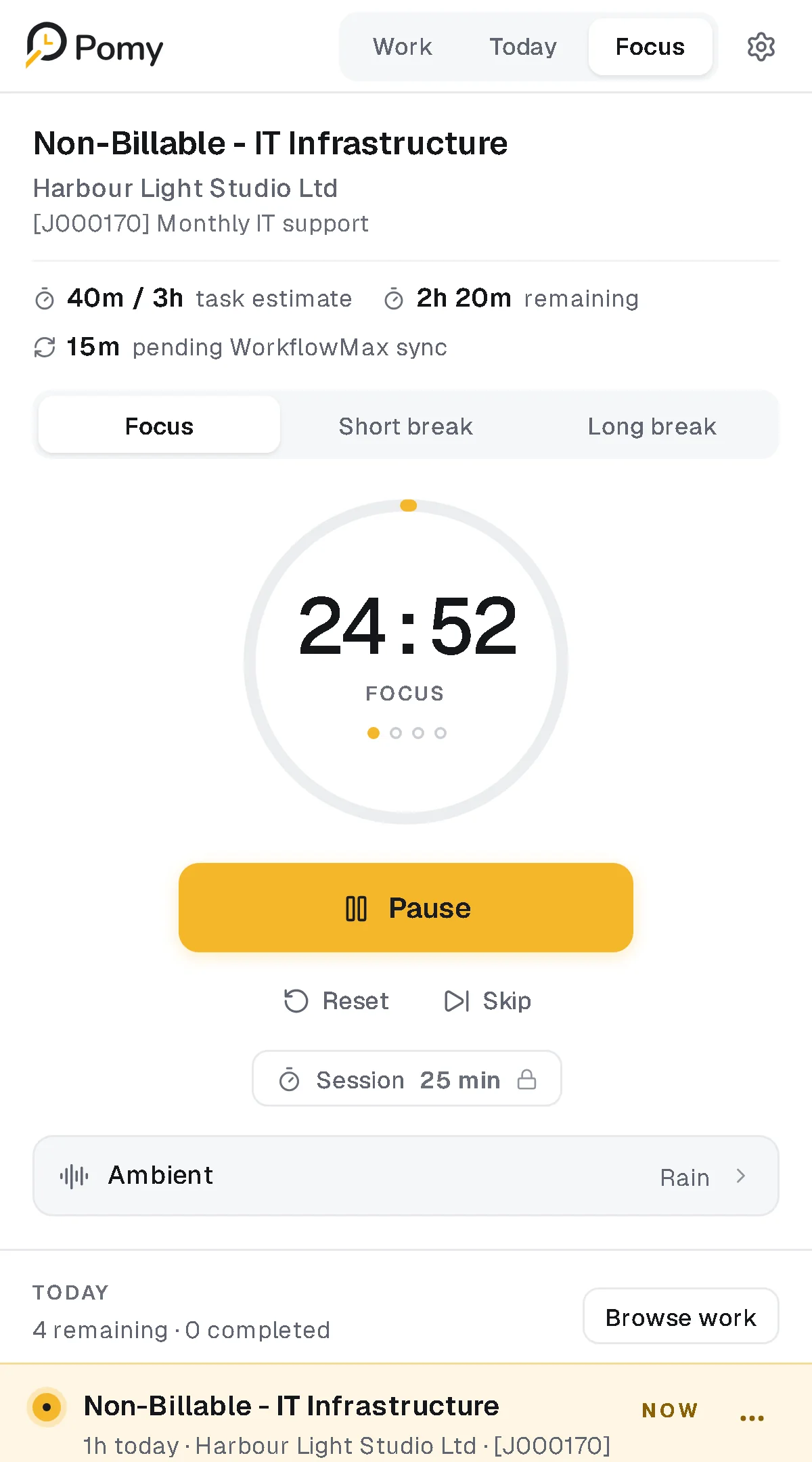
Focus: the timer, and the facts about the task it's running on. - 04 / 04
Wrap up: decide what gets recorded
For each item: what was focused, what goes on the timesheet, what WorkflowMax already holds. Pomy proposes. The person edits, adds a note, and sends only what's ready.
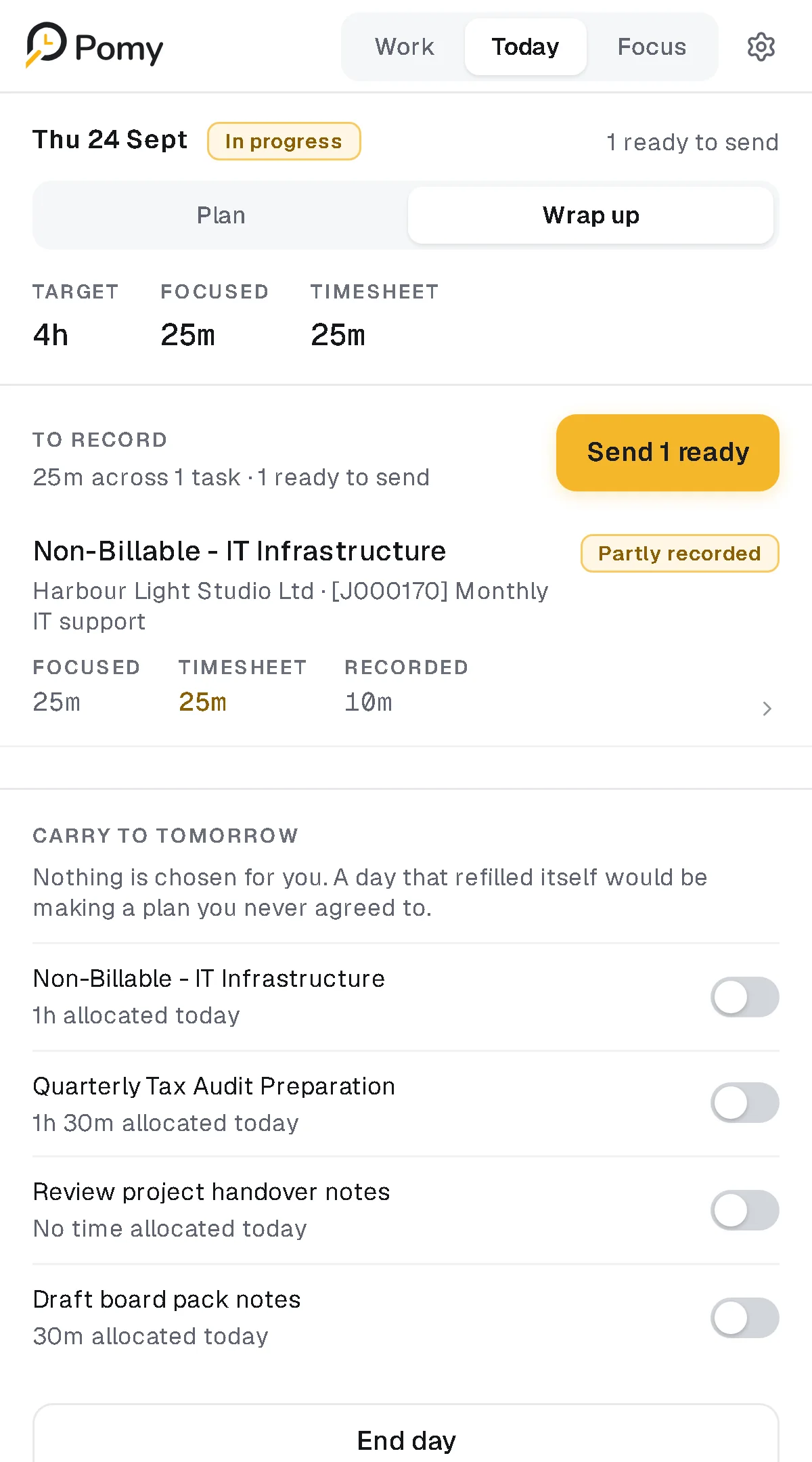
Today › Wrap up: focused, timesheet, recorded. Three different numbers.
What shaped it
- 01
A 320px column
The panel shares the screen with the work. Every control has to survive 320px. When space runs out the lockup goes first, never a control.
- 02
Other tools own the work
Tasks, estimates and recorded time belong to To Do and WorkflowMax. Pomy can plan around them but can't quietly change them.
- 03
A timesheet is a record
What Pomy writes to WorkflowMax ends up on someone's timesheet. It has to be approved, consistent everywhere it's shown, and safe to retry.
- 04
No monitoring
No screenshots, no keystrokes, no productivity score. Every number Pomy shows has to be about the work, never a grade of the person.
Decisions
- Decision 01
- Constraint
- A day carries four kinds of time: a focus target, today's allocation per item, a Pomodoro estimate and the WorkflowMax estimate. Blend them and the plan starts pretending to be a record.
- Decision
- Keep planning time separate from everything else. Setting time for today changes no estimate and no recorded time.
- Result
- "No time set" is a real state, never zero. Over-target is reported, not blocked. The allocation sheet says so in one line of copy.
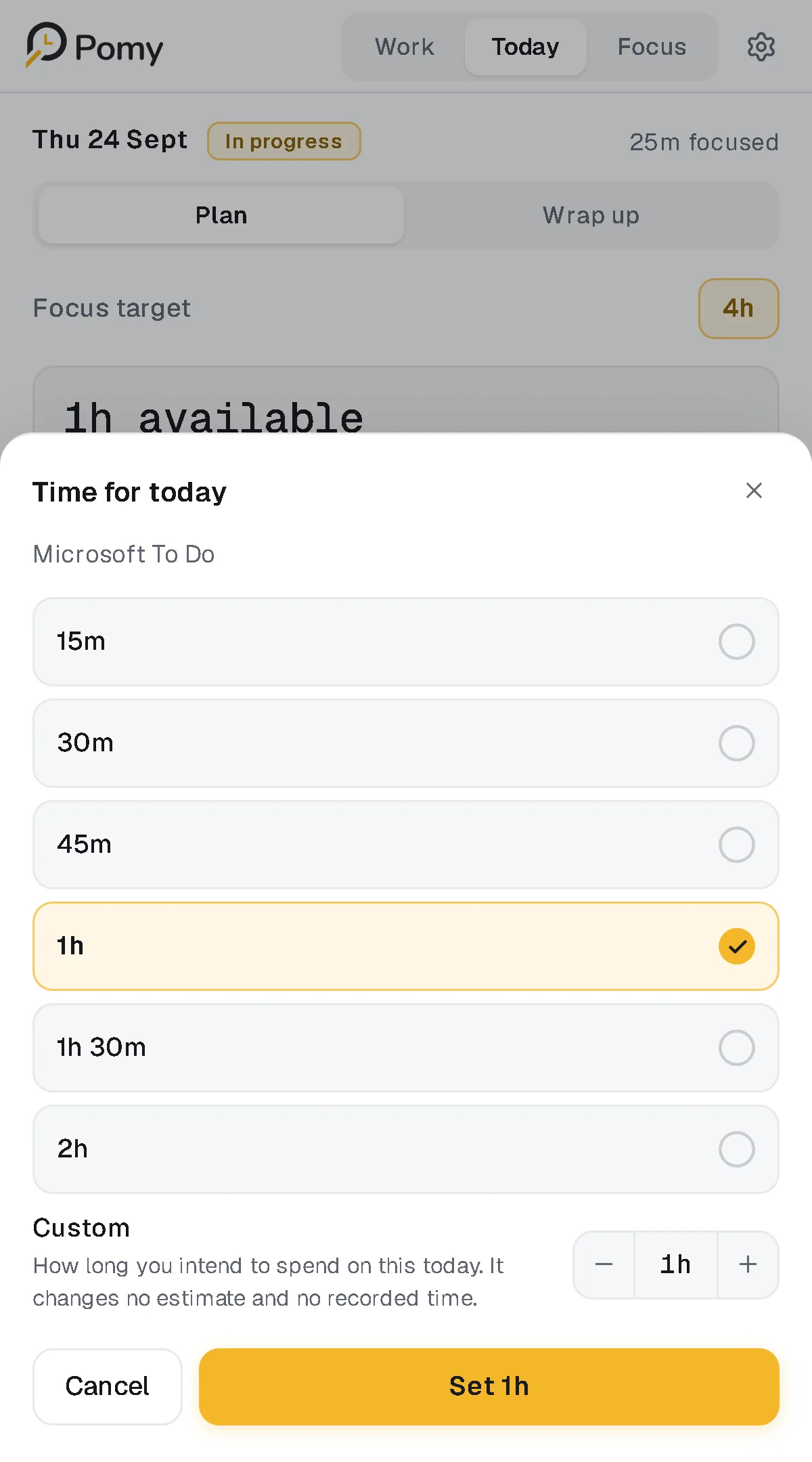
The allocation sheet: "It changes no estimate and no recorded time." - Decision 02
- Constraint
- Four surfaces answer "how much is still to send?": Wrap up, the Focus pending line, the update sheet and the task budget. Four calculations would eventually disagree.
- Decision
- One resolver answers it for all of them: focused (never editable), timesheet (the proposal) and recorded (what WorkflowMax confirmed). Pending is the difference, and time already recorded is the floor.
- Result
- The same 15 minutes read the same on every screen. The write-back sends the day's total, not the difference, so a retry can't double-record.
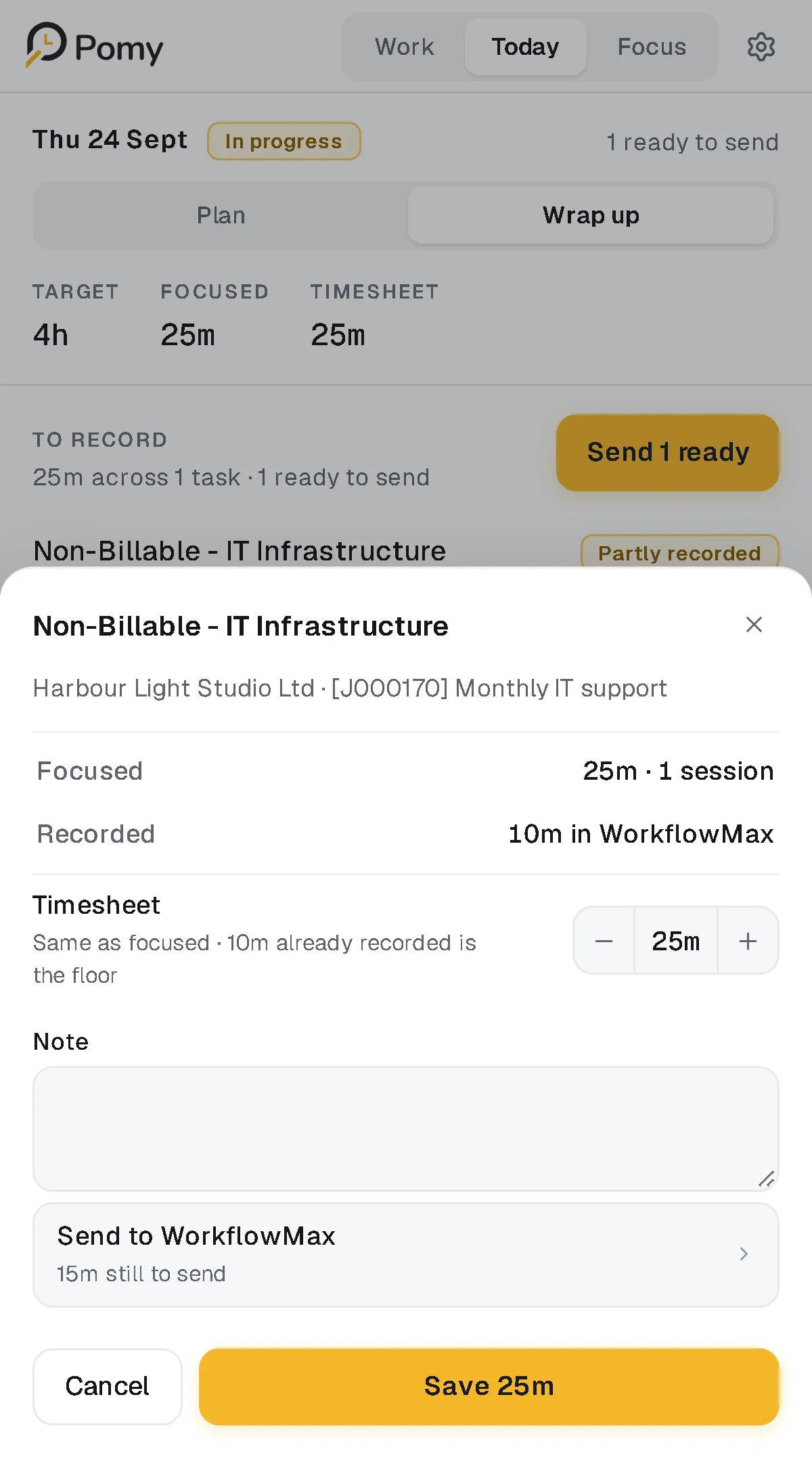
Review sheet: "10m already recorded is the floor." - Decision 03
- Constraint
- Automatic submission would be the easy build, and exactly the kind of tracking Pomy says it doesn't do.
- Decision
- The person approves what is recorded. "Send 1 ready" sends only entries that are ready. Anything that can't be sent is counted and named, never skipped silently.
- Result
- After sending, Wrap up confirms what WorkflowMax now holds and that nothing else changed.
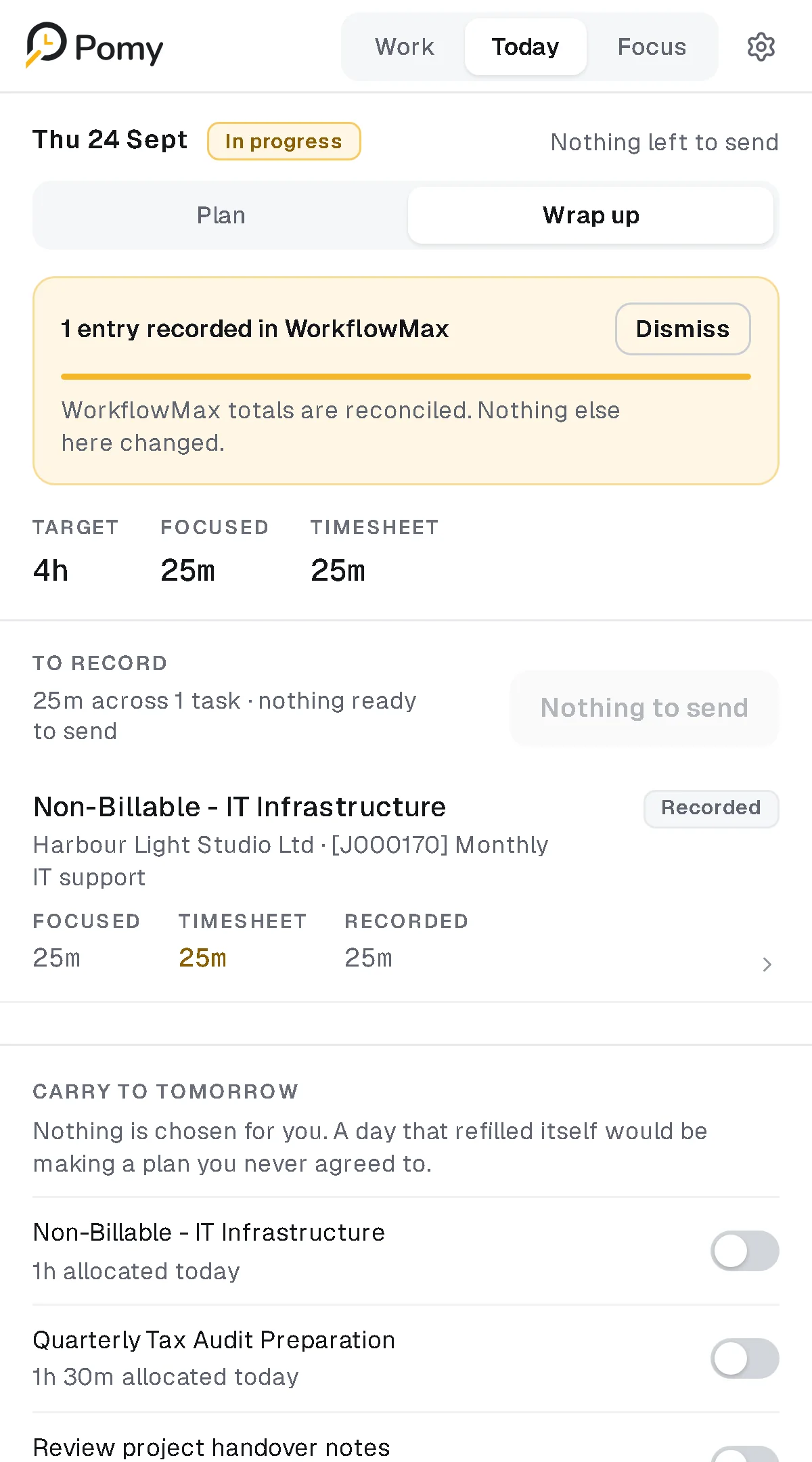
After sending: what was recorded, and nothing else. - Decision 04
- Constraint
- Unfinished work is normal. A tool that refills tomorrow with everything left over makes a plan nobody agreed to.
- Decision
- Carry-over is explicit and off by default. Only the item crosses the day. Its allocation, draft timesheet and focus history stay where they happened.
- Result
- "Nothing is chosen for you." Ending the day is a review, not a report card: no score, and no start time shown anywhere.
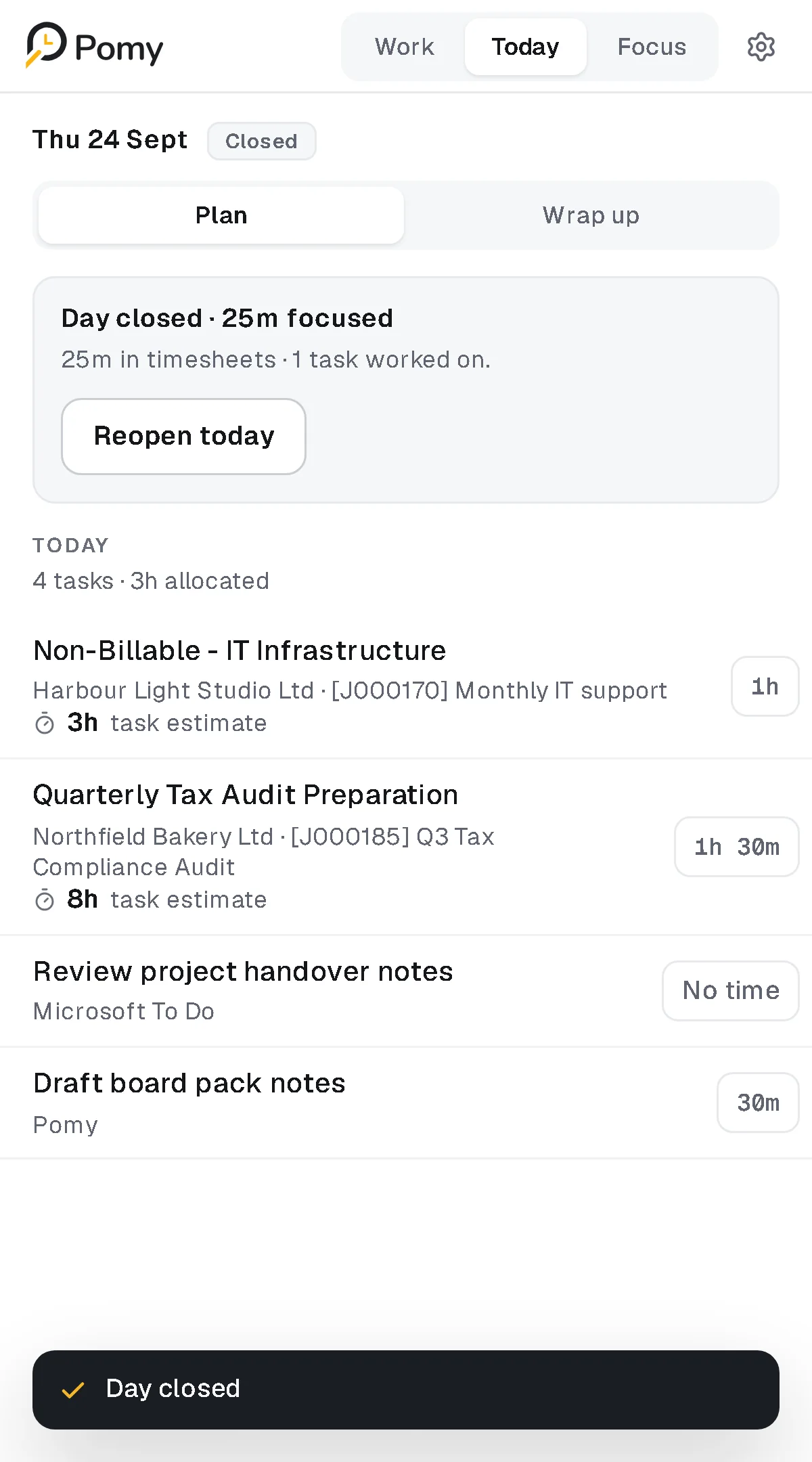
End day: facts about the day, not a grade.
Focus keeps the context in view
The timer is the least interesting part of the Focus screen. What matters is above it: which client and job this is, how much of the task's estimate is gone, and what still has to reach WorkflowMax.
Below it, the rest of Today, with the active item marked Now. Session length is decided before a session starts: one rule shared by the panel and the background worker, so the panel never offers a change the worker would refuse.
Try the panel
This is the real side-panel interface running on sample data. Pick work, plan the day, run a session, wrap up and send. Nothing leaves the page: the Microsoft and WorkflowMax calls are simulated, and everything resets on reload.
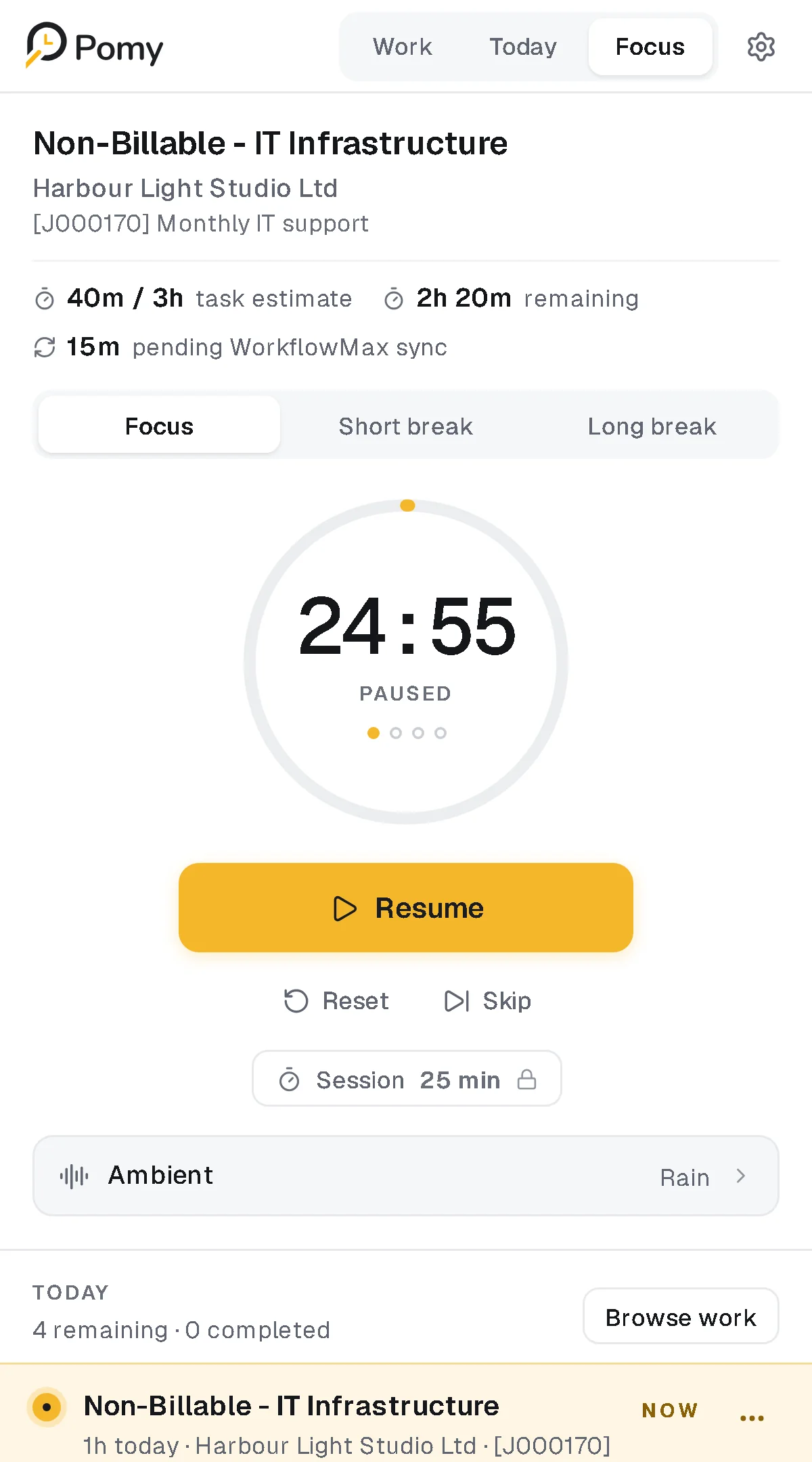
Loads on request. Nothing is embedded until you start it.
A system built for a narrow column
One token file is the only source of design values. Radii are named for what they belong to, not by size. Rows are 48px and the primary action 44px, and at 320px every control is still there. Four accents plus a custom colour, each with its own break counter-tone, in light, dark or the browser's mode.
- Pomy Gold#F5B72B
- Ink#14161A
- Surface#F6F7F8
- Dark canvas#101216
- Timer: Geist Mono500 · 39px / 1
- Active item: Geist600 · 16px / 1.25
- Row: Geist500 · 13.5px / 1.3
- Meta: Geist400 · 11.5px / 1.35
The rest of the panel
Each source keeps its own shape. Settings stay in one column.
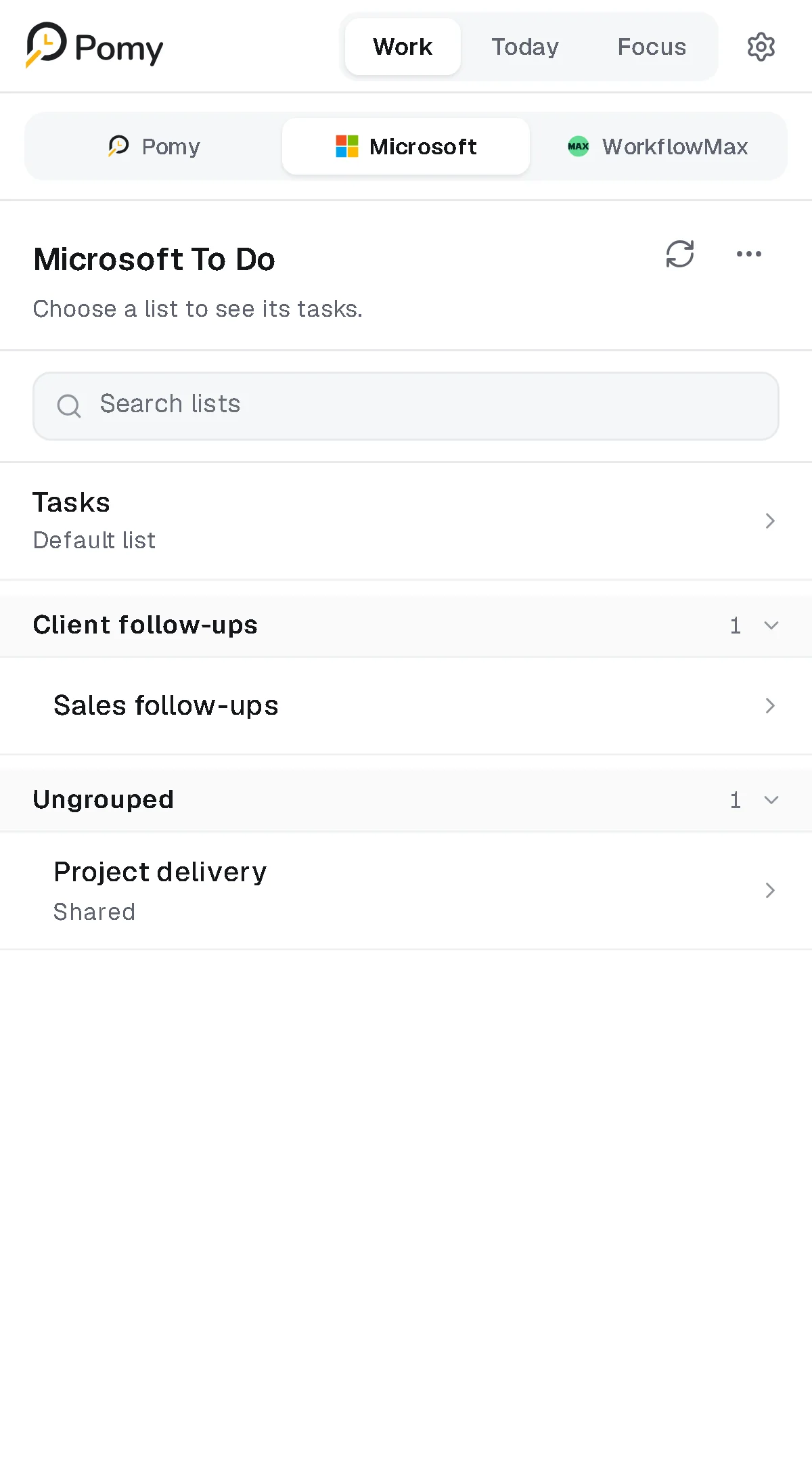
Microsoft To Do, grouped the person's way. 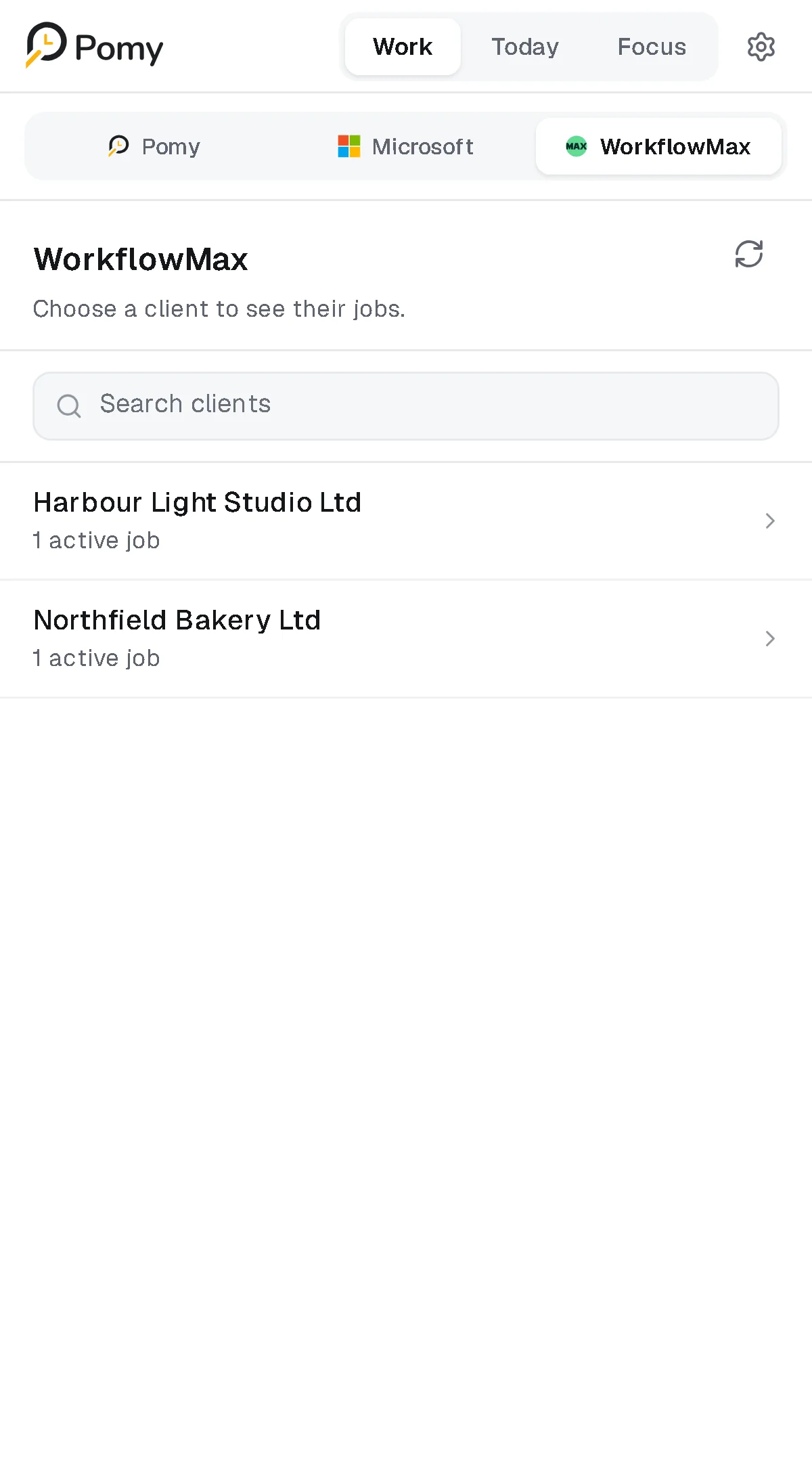
WorkflowMax: client first, then job, then task. 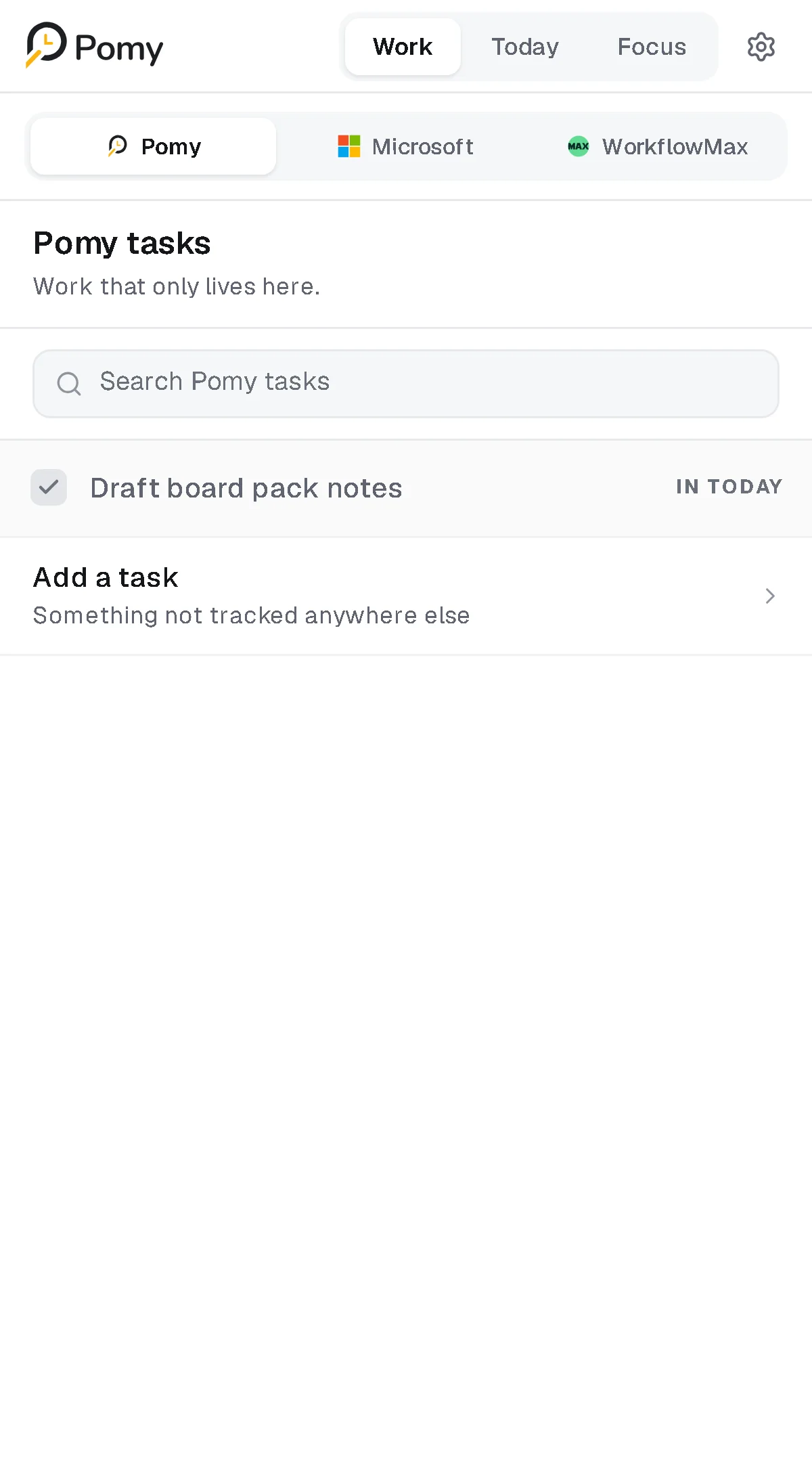
Pomy tasks: work that only lives here. 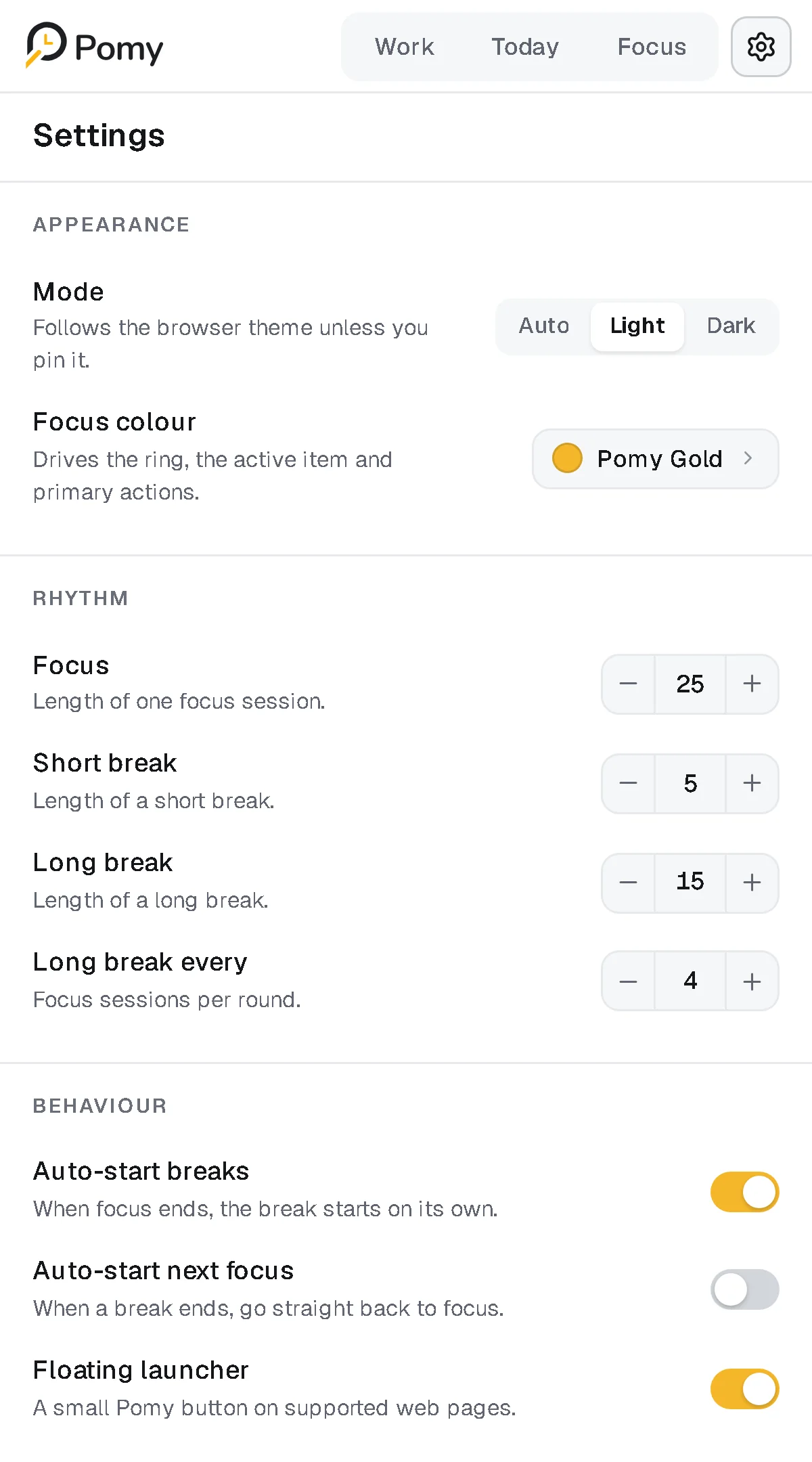
Settings: appearance, rhythm, behaviour.
Where it is now
Pomy is published on the Chrome Web Store and Microsoft Edge Add-ons (listed there as Pomy Beta), with a public site at getpomy.com. I haven't published usage numbers, so there are none here.
- Available on Chrome and Edge
- Microsoft To Do and WorkflowMax integrated, with approved time write-back
- Designed, built, tested and released end to end
Reflection
The timer was the easy part. The work was keeping a day's different kinds of time from collapsing into one number, and saying no to the features that would have made Pomy a monitoring tool.
Most of the decisions that mattered ended up as a sentence on screen: "It changes no estimate and no recorded time." "Nothing is chosen for you." If a rule can't be said that plainly, it probably isn't finished.